


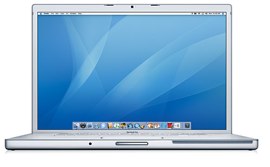
 Over the past few years I have been getting more and more fed up with Microsoft Windows and my PC. About a month ago I decided it was about time to replace my PC completely and I ended buying a Mac. So far I love it! There is of course a downside and that is that the old software that I used to watch television on my computer only works on PC, I needed to go out hunting for other ways to watch live TV on my new Macbook Pro.
By doing a simple search in Google for “How to Watch TV Online With a Mac” I found tens if not hundreds of potential methods, however after experimenting and testing them out, I found that a few really stood out and the others were either still in early development or just mediocre.
How to Watch Live Internet TV on Your Mac

The best way to watch TV on a Mac is through Netflix. Although you can’t watch “live” TV through Netflix, they have thousands of episodes of TV shows and movies available to watch right on your computer or on DVD. Episodes of some popular shows like Heroes appear on Netflix the day after they air on TV. I use Netflix to catch up on whole seasons of TV shows and it saves me a ton of money because then I don’t have to buy them.
You can sign up for a 2 week free trial of Netflix here.
Another great way to watch TV on a Mac is with the Real SuperPass. The Real Superpass allows you to watch Prime Time TV Shows, Movies, News and Sports right from your computer. One thing I really like about the SuperPass is their large selection of on demand content. The RealSuperPass also allows you to watch reality TV content that they can’t play on TV.
Real SuperPass currently has a 2 week free trial available.
The third way to watch TV through the Internet on a Mac is a new service called Joost. Joost is a start-up Internet television company that appears to have a lot of potential. They are attempting to start the first true company to compete with Cable and Satellite companies by delivering television through an Internet connection. Joost is still in early beta but you can download the Joost client for free if you have an Intel based Mac. You can read my review of Joost Here.
Overall I wasn’t too impressed with the quality of the picture through Joost, however I do have high expectations and I’m sure it will improve once they get all the kinks worked out. We all know that the future of television is iTV or Internet TV so it looks like Joost is laying the foundation for that to really take off in the near future.
How to Watch Videos on Your Mac
If you are looking to download and watch movies on your Mac (legally) there are really 2 options. You can rent movies from Netflix and watch them on your computer (as well as have them delivered to your door to watch on your TV). I personally use the Netflix approach just because I am usually only interested in watching movies once, so renting works for me.
If you are looking to buy movies to watch on your Mac I recommend using iTunes, which you probably are already using for music. iTunes has a large catalog of movies that you can rent and buy. The advantage I have found to using iTunes is that you can watch the movies you buy or rent on your video iPod, iPod Touch, or iPhone.
How to Watch Cable or Satellite on Your Mac
If you are looking to turn your Mac in to a DVR and watch your pre-existing Cable or Satellite television on your Mac you probably want to check out EyeTV. EyeTV basically allows you to watch Cable or Satellite on your computer and allows you to record these programs to your hard drive so you can play them back any time you want. The EyeTV hardware looks like a USB Thumb Drive with a USB connector on one end and a coaxial cable attachment on the other. You plug your cable or satellite into one end, the other end into your computer and your good to go. EyeTV seems like a pretty practical and straight forward solution.
Topics: Satellite TV on Your PC |


